What do people ask before using WattPayoff?
People mostly ask how often PG&E lets them switch plans, whether a community choice provider or a discount like CARE changes the answer, what happens to their data, and how the subscription works; each is answered below. Questions about a single feature are answered on that feature's page.
Switching PG&E rate plans
How often can I change my PG&E rate plan?
PG&E limits how often you can change plans in a year. PG&E's rate enrollment page says you may change your rate plan 2 times every 12 months (checked 2026-10-16). PG&E's tariff words the limit more strictly, so confirm with PG&E before you rely on it. Check your change history in your PG&E account or ask PG&E before you switch.
That's why the app checks every month: so you can pick a good moment, because PG&E limits how many changes you get. The app doesn't track when you last switched, so check before acting on a notification.
How do I change my PG&E rate plan?
Sign in to your PG&E account and choose Manage Rate Plan under Compare Rate Plans. Only single-family residential accounts can change plans online; if you live in a multifamily building or don't see the option, call PG&E at 1-800-743-5000. The app never changes your plan.
- Path: on your dashboard, scroll to Usage and Rates, choose All usage and rates tasks, then Compare Rate Plans, pick your account, and choose Manage Rate Plan.
- PG&E charges no fee to change plans, and the new rate starts on the first day of your next billing cycle.
Can I go back to my old plan if the new one costs more?
Possibly, but check first. PG&E limits how many plan changes you get in a year, so going back may not be allowed right away; check your change history in your PG&E account or ask PG&E before you switch. PG&E's current tariffs do not give a refund of the difference if a plan you choose costs more.
Where can I compare WattPayoff with PG&E's own rate comparison tool?
On its own page: PG&E's tool vs WattPayoff. It sets the two side by side, with every statement about PG&E's tool dated and sourced.
Community choice providers and discounts
I'm with MCE, Silicon Valley Clean Energy or another community choice provider. Does the app find my cheapest PG&E plan?
No, not with your provider's prices. The app doesn't include community choice generation in its calculations; it prices each plan with PG&E's own generation charges, so its totals won't match your bill.
If you're with a community choice provider (MCE, Silicon Valley Clean Energy, San José Clean Energy, Ava Community Energy, CleanPowerSF, or Peninsula Clean Energy, now WestLight Energy), PG&E still delivers your electricity and you still choose a PG&E rate plan; the provider sets the generation part of the price.
Does CARE, FERA or Medical Baseline change which plan is cheapest?
Yes, all three can, and the app includes each one. Medical Baseline, CARE and FERA are settings you turn on in the app's My Account; the app does not detect them, so check your PG&E bill or account. CARE takes about 35% off usage charges, FERA 18%, and both lower the Base Services Charge.
In the app, CARE and FERA apply on E-1, E-TOU-C, E-TOU-D, EV2-A and E-ELEC. CARE lowers the Base Services Charge to the lowest income tier and FERA to the middle tier. You can't be on both: switching one on in the app switches the other off.
On tiered plans (E-1, EM, E-TOU-C) Medical Baseline adds a monthly allotment of energy at the lowest price on the plan; on E-ELEC, E-TOU-D and EV2-A it gives a 12% discount on your electric usage charges instead, not on the Base Services Charge. EV-B is not eligible for Medical Baseline, CARE or FERA. Details are on PG&E's Medical Baseline program page.
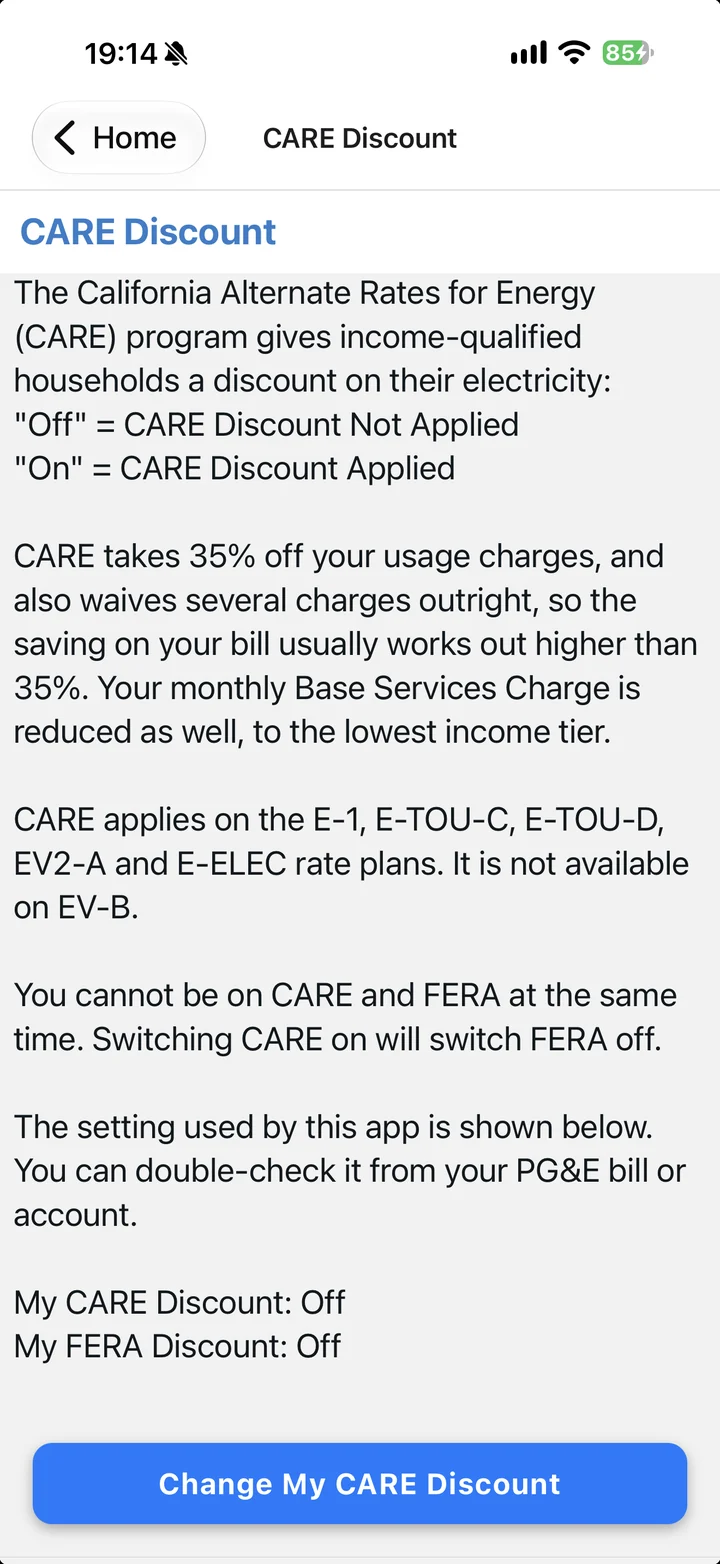
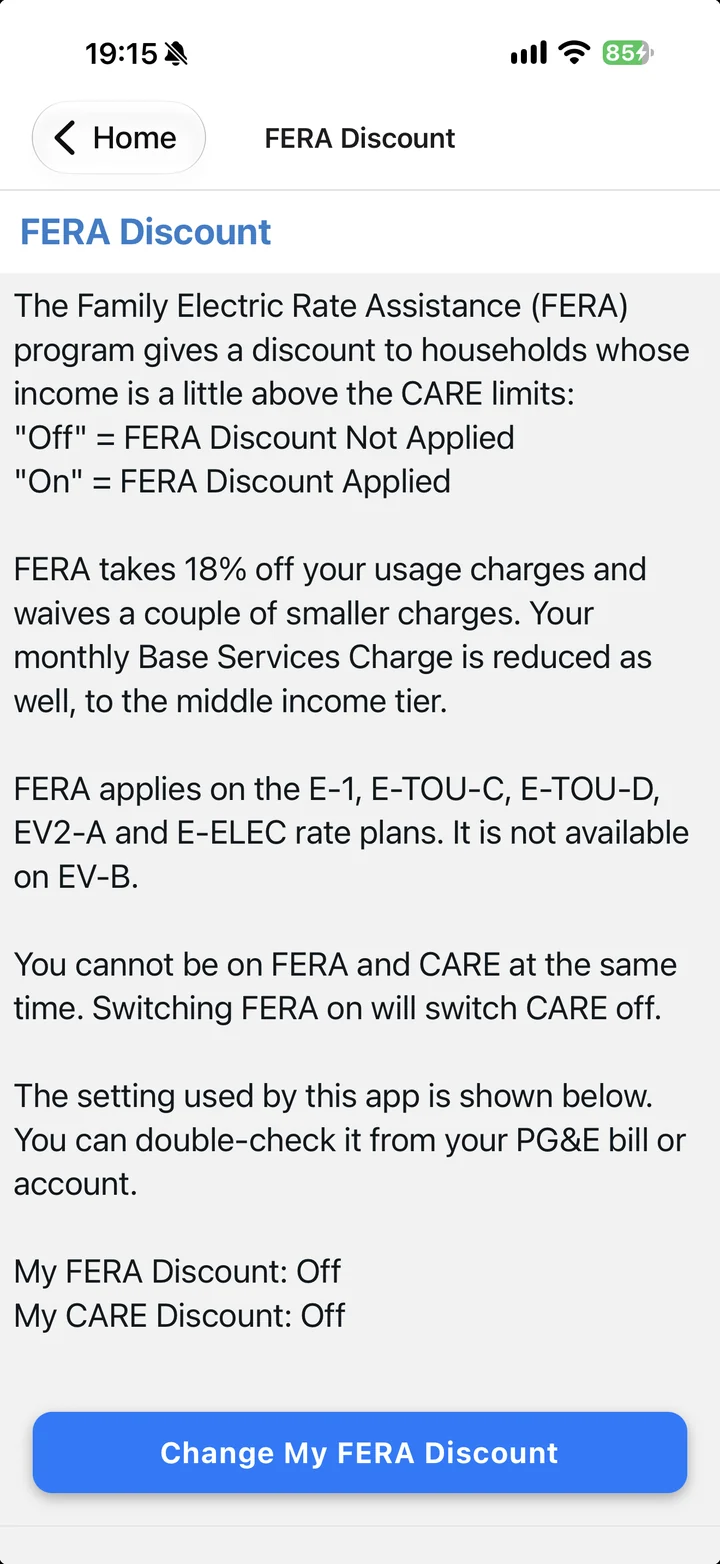
Screens from the app's My Account, October 2026. The wording on them is the app's own; each discount applies only when you turn the setting on, and your PG&E enrollment decides whether you qualify.
Your data and privacy
What data does the app read, and who sees it?
The app reads your PG&E meter and billing data through Share My Data; what it requests is on the how-it-works page. Ndili stores your usage data on its servers while you subscribe, to run the monthly check. After you cancel, Ndili keeps it until you ask for it to be deleted, and deletes it as soon as you ask. To ask, email support@ndilitechnologies.com. The full detail is in the privacy policy.
How do I disconnect my PG&E account?
You disconnect by ending the authorization in your PG&E account: open Share My Data on your dashboard (the link reads Authorize third party companies), find the company under Current Authorizations and select the X icon to stop sharing; PG&E says you can end the authorization instantly, at any time.
Ending the authorization stops new data, but it does not cancel your subscription: cancel that in your Apple Account subscriptions or in Google Play subscriptions. It also does not delete what Ndili already holds. To delete it, email support@ndilitechnologies.com; there is no delete button in the app.
Where is the privacy policy?
Devices and subscription
Devices are listed on the home page; price and cancelling are on the pricing page.
How can I contact the team?
Get WattPayoff
iPhone, iPad, Mac (Apple silicon), Apple Vision and Android.